Not A Bug Need Help With Libido (No not like that relax)

Not actually a bug.

PanzerGuitar00

Well-Known Member
Oct 18, 2016
5,699
1,635
Now I know what you're thinking but no that isnt the problem this time.

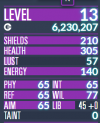
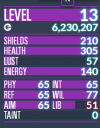
For some reason, depending on the display setting for the status bar, my libido is shown to be at different values. I checked in the save editor, and sure enough, its different than what is in the stats screen. Quick pics to show what i mean:
1778085864063.png1778085881408.png
The one on the right is my actual libido value.

Now, I've done a lot of save editing with my character to get all the perks/traits/etc that I want for them, and i mean a lot, enough to put Victor to shame. And I think that may be the cause of all this. So dont waste your time if thats the case, ill just live with it.

save included
 

Attachments

  • Jinx (H) - 22245 Days, 7Hrs 3Mins - Sidewinder, Siretta.json
    1.2 MB · Views: 0

Theron

Well-Known Member
Nov 8, 2018
4,368
1,621
46
The format on the left shows your total Libido.
The format on the right shows your base Libido +'libidoMod'. Which does not include Sexiness/Heat/Rut/ect.
I'm not sure what even uses libidoMod, actually.
 

PanzerGuitar00

Well-Known Member
Oct 18, 2016
5,699
1,635
The format on the left shows your total Libido.
The format on the right shows your base Libido +'libidoMod'. Which does not include Sexiness/Heat/Rut/ect.
I'm not sure what even uses libidoMod, actually.
Well, some perks are dependent on Libido, like determining if you have Warm Blooded or Icy Veins, and also Energizing Libido and Snu Snu Queen.

So, wait, if my total Libido is my base plus my modifiers, then why is my Libidomod displayed as zero?
 

Theron

Well-Known Member
Nov 8, 2018
4,368
1,621
46
So, wait, if my total Libido is my base plus my modifiers, then why is my Libidomod displayed as zero?
I thought I explained that: Because libidoMod is a specific value in a character's statblock and does not include modifiers from status effects or gear (Sexiness/Heat/Rut/Etc.).
 

PanzerGuitar00

Well-Known Member
Oct 18, 2016
5,699
1,635
I thought I explained that: Because libidoMod is a specific value in a character's statblock and does not include modifiers from status effects or gear (Sexiness/Heat/Rut/Etc.).
Then, shouldnt the display for libidomod, or any other stat mod display because i just noticed a similar thing for other stats, be the other way around so that its kinda like in dungeons and dragons?

like say, you have base 30 libido and your in heat that bumps it up by 20, and have a status effect from a tf that raises it by another 5, so the libido mod stat display would display or read out something like "30 +20+5". this would be valuable to know in case of perks or stats or checks or whatever that take from your base stat values, and not your total stat values, like
determining if you have Warm Blooded or Icy Veins, and also Energizing Libido and Snu Snu Queen.

Im sorry if ive just been reading the stat screen wrong this whole time, there is a non zero chance of that.
 
Last edited:

Jacques00

Administrator
Moderator
Aug 26, 2015
5,560
1,539
Just to re-iterate and clarify what is being displayed when you click on the value bar of a stat:
  • The initial "big" number is your "current" value, this will include any and all influences/buffs/debuffs/etc.
  • After clicking on it, the narrower numbers represent two values: your base or "raw" value, and your "mod" value for that stat. Not all status effects use the mod value (and yes, it is a bit confusing as to why it isn't used more consistently), but the mod value is usually reserved for temporary effects that additively affect that stat (and yes, not all status effect/perks influence the stat additively). Any other influences to the stat (such as multiplicative values, hidden values, etc.) are not listed and can be inferred if the raw value plus the mod value are different that the current value.
  • Clicking on it again will show the stat in "minimum/current/maximum" format (or "current/maximum" if the bar as no higher minimum defined), so you can see what position the bar is in currently. This is pretty straight-forward, so not much to explain here.

Hopefully this helps.